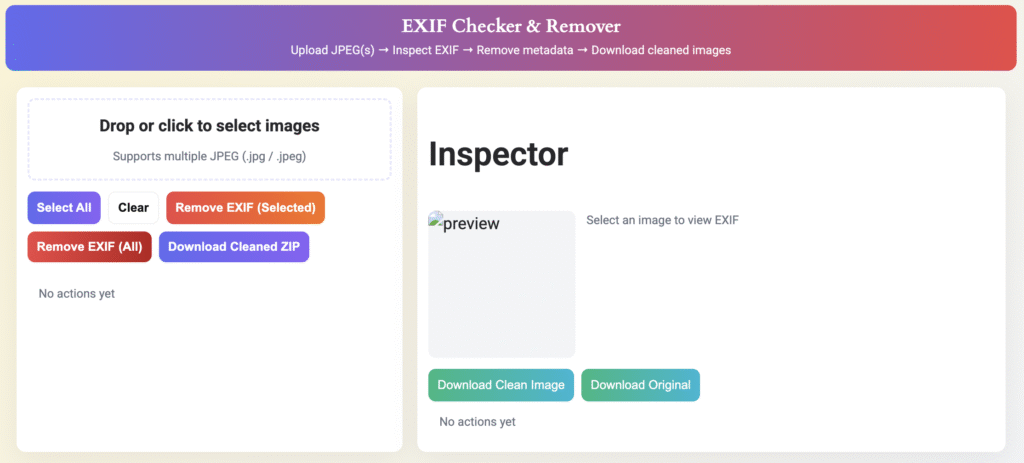
EXIF Checker & Remover
Upload JPEG(s) → Inspect EXIF → Remove metadata → Download cleaned images
Inspector
EXIF Checker And Remover – Free Online Metadata Tool
In today’s digital world, every photo you click carries hidden information that most people never notice. This hidden data is called EXIF metadata — and it often includes sensitive details like your device information, camera settings, and even your location. Whether you are a photographer, content creator, or everyday smartphone user, protecting your privacy online is extremely important. That’s where the EXIF Checker and Remover from SSJ Tools becomes one of the most essential utilities you need.
This free online tool helps you view, analyze, and remove photo metadata in seconds — no installation, no technical skills, and no cost. It works directly in your browser and supports all major image formats such as JPG, JPEG, PNG, and WebP. With a clean interface, fast results, and a privacy-first system, this tool gives you full control over what information you share online.
What is EXIF Checker And Remover?
An EXIF Checker And Remover is an online tool that reads and clears EXIF metadata stored inside photos. EXIF stands for Exchangeable Image File Format, and it contains information about how and where a photo was taken.
Typical EXIF data includes:
Camera model and brand
ISO, exposure, and aperture
Date and time
Flash details
File size, resolution, and dimensions
GPS coordinates (your exact location)
While EXIF data is important for photographers, it can compromise privacy when images are uploaded to social media, blogs, or websites. The EXIF Checker part lets you preview this metadata, while the EXIF Remover part helps you delete it permanently for safe sharing.
This makes the tool especially useful for:
Photographers
Social media creators
Bloggers and journalists
Businesses sharing product photos
Privacy-conscious users
Cybersecurity professionals
The goal is simple: View what your photo reveals — and remove what you don’t want to share.
How Does EXIF Checker And Remover Work?
The tool works using a simple three-step algorithm: upload, analyze, clean.
tep 1: Upload Your Image
You upload your JPG, PNG, or WebP file. The tool processes the image instantly — without storing it anywhere.
Step 2: Metadata Extraction
The tool scans the image and displays detailed EXIF metadata, including:
Camera information
GPS data
Date/time stamps
Color space
Orientation
Lens details
Image dimensions
Step 3: Remove Metadata
With one click, the tool removes all EXIF data and generates a clean version of the image. This cleaned version is safe for sharing online.
How It Works Behind the Scenes
It uses JavaScript-based EXIF parsing libraries for real-time extraction
Cleaning is done client-side (in your browser)
No file is uploaded to any server
Privacy is 100% protected
This simple flow makes the EXIF Checker And Remover reliable, fast, and secure.
Key Features and Benefits
✔ Fast EXIF Viewer
Instantly view all hidden metadata inside your image with a single click.
✔ One-Click Metadata Removal
Remove sensitive data like location and camera details effortlessly.
✔ Full Privacy Protection
All processing happens in your browser. Your images are never stored or shared.
✔ Multi-Format Support
Supports JPG, JPEG, PNG, WebP, and other popular formats.
✔ No Installation Required
Works on any device — mobile, tablet, or desktop.
✔ 100% Free to Use
No signup. No limits. No watermarks.
✔ Easy for Beginners, Powerful for Professionals
Perfect for photographers, marketers, and content creators.
✔ Safe for Social Media Uploads
Clean your images before posting on Instagram, Facebook, LinkedIn, and WhatsApp.
✔ SEO & Privacy Compliance
Helps businesses maintain GDPR and privacy-safe content publishing.
How to Use the EXIF Checker And Remover on SSJ Tools
Using the tool on SSJ Tools is extremely simple. Here’s a step-by-step guide:
Step 1: Open the EXIF Checker And Remover Tool
Visit the tool page from the SSJ Tools website.
Step 2: Upload Your Image
Click the upload button and select your image file.
Step 3: View Metadata
The tool will instantly show all EXIF details organized in a clean table.
Step 4: Remove Metadata (Optional)
Click “Remove EXIF Data” and download a clean version of your image.
Step 5: Share Safely
Use the image anywhere online without risking privacy leaks.
This streamlined workflow ensures even non-technical users can protect their information easily.
How to Use this Tools Complete Tutorial
Why Choose SSJ Tools?
SSJ Tools is one of the fastest-growing online platforms for free digital utilities. Here’s why users trust us:
⭐ Free Forever
No hidden charges — all tools are 100% free.
⭐ User-Friendly Interface
Simple, clean, and optimized for mobile users.
⭐ Accuracy & Reliability
Tools are built using advanced web technologies for accurate results.
⭐ No Data Collection
We respect your privacy — files are never uploaded or stored.
⭐ All-in-One Platform
Access converters, calculators, editors, generators, and more.
⭐ Optimized for Speed
Highly efficient processing ensures instant results.
Our goal is to offer powerful tools with zero complexity.
Related Tools (Internal Linking Suggestions)
Add internal links to improve topical authority and SEO:
These tools complement the EXIF Checker and improve user engagement.
Conclusion
In a world where digital privacy is becoming more important than ever, the EXIF Checker And Remover from SSJ Tools gives you complete control over your images. Whether you’re a photographer, a blogger, or simply someone who shares photos online, removing metadata protects you from unnecessary exposure.
This free tool is fast, simple, secure, and powerful — offering everything you need to safeguard your identity and keep your images clean. Try it now and enjoy safe, metadata-free sharing with just one click.
➡️ Use the EXIF Checker and Remover for Free — Try it Now!
FAQs
1. What is EXIF metadata in photos?
EXIF metadata is hidden information stored in image files, including camera details, date, time, and GPS location.
2. Is removing EXIF data safe?
Yes. Removing metadata does not affect image quality and protects your privacy online.
3. Does SSJ Tools store my images?
No. All processing happens in your browser. Your files are never uploaded or saved.
4. Can I remove GPS location from photos?
Yes. The EXIF Remover tool deletes location data instantly.
5. Is this tool free to use?
Absolutely. The EXIF Checker And Remover on SSJ Tools is 100% free with no sign-up required.
Other Tools
Check out our other tools